
The Storage Rental Process, Step by Step: What to Expect on Move-In Day in Gainesville

Renting a storage unit shouldn't be complicated, but if you've never done it before, it helps to know what actually happens between choosing a unit and locking it up with your belongings inside. We'll go through the storage rental process at CubeSmart Self Storage of Gainesville, from reservation to move-in day, to help clear up any confusion.

The Storage Rental Process: Steps 1 - 6
Step 1: Decide which size unit you need
CubeSmart Gainesville offers indoor, climate-controlled units from compact 5×5 spaces (25 sq ft) up to 10×20 (200 sq ft) and larger. Climate control is standard here, which matters given the heat and humidity that can damage furniture, electronics, and documents over time.
Step 2: Reserve online, free of charge
Once you know roughly what size you need, reservations can be made online in a few minutes with no cost and no obligation — this locks in a unit and, often, a promotional rate, without requiring a trip to the facility first.
Step 3: Complete your rental
CubeSmart's online Smart Rental process is fast if you already know what you want. The Gainesville office is also open seven days a week — Monday–Friday 9:30 AM–6:00 PM, Saturday 8:30 AM–5:00 PM, Sunday 10:00 AM–5:00 PM — with on-site managers available to walk through paperwork or help you pick the right size in person, which is worth doing if you want to see the actual unit before committing.
Step 4: Insurance is automatically in place
CubeSmart adds a protection plan to your account automatically when you rent, so your items are covered from day one with no extra steps. If you'd rather use your own homeowners or renters insurance, bring proof of coverage into the office and the team will remove the CubeSmart policy from your account.
Step 5: Move-in day
There's no need to check in at an office first if you rented online — a lock is included automatically, so you don't need to buy one separately. Storage access runs daily from 6:00 AM to 10:00 PM, giving students, residents, and businesses plenty of flexibility to move in and out. A couple of things that make the day go smoother: pack heavier boxes on the bottom and frequently needed items near the front, and leave a walkway down the center of the unit so nothing gets buried.
Step 6: Managing your unit afterward
Most day-to-day account tasks can be handled from your phone — checking your gate code, paying your bill or managing autopay, reviewing payment history, and updating account settings — without needing to call or visit in person.
What you can't store
For safety reasons, storage units can't be used for perishable food, flammable or hazardous materials, fuel, explosives, illegal items, or firearms.
A note on flexibility
A few of the steps above have a second option worth knowing about up front: you can rent online or in person, use CubeSmart's insurance or your own, and use the included lock or bring your own (the included lock's cost gets refunded if you swap it out). None of these choices lock you in — if you're ever unsure which makes more sense for your situation, the on-site team can walk through it with you.
Whether you're a University of Florida student, faculty or staff member, or a Gainesville resident in the middle of a move, knowing what to expect ahead of time makes move-in day a lot less stressful.
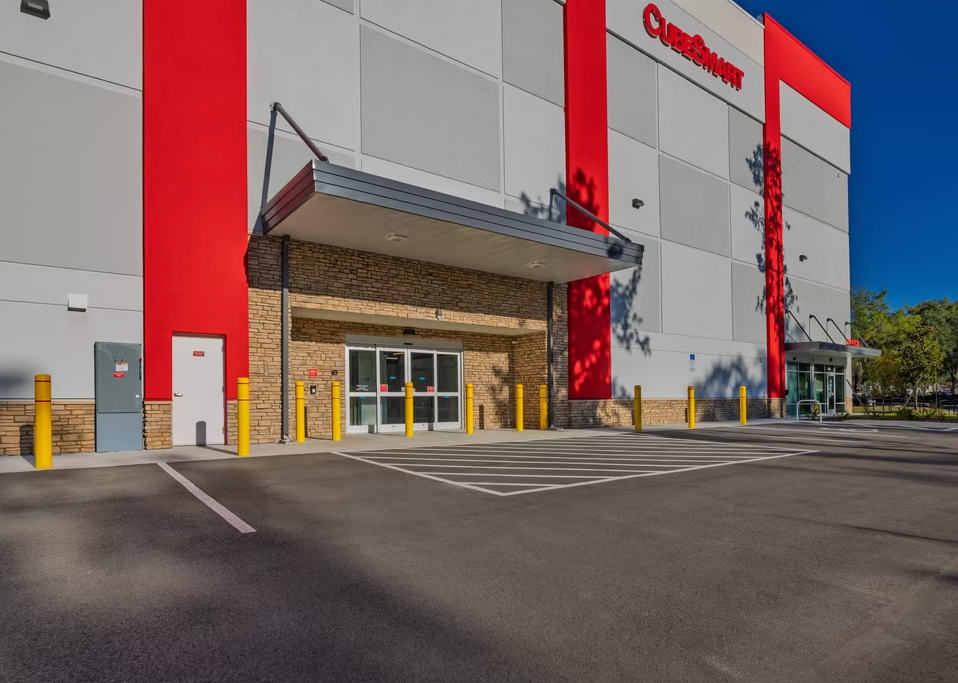
Check out CubeSmart Self Storage at Gainesville 3701 SW 42nd St, Gainesville, FL 32608

Comments